A store owner sent me a five-page CRO audit last week. It came out of one of those viral LinkedIn prompts — "paste this into ChatGPT and watch it find your hidden revenue." Professional formatting. Confident tone. And a 71% cart-abandonment figure their analytics could not have produced, because their checkout doesn't fire a single event.
The model wasn't being dumb. The prompt let it guess. That's the whole problem with the "CRO prompts" genre, and it has a fix.

Why most CRO prompts produce confident garbage
Search "ChatGPT prompts for CRO" and you get lists of ideation prompts: "Act as a CRO expert and brainstorm testing ideas for my product page." The model has never seen the product page. It hasn't seen the analytics, the traffic mix, or a single visitor. So it produces the median advice of every CRO blog in its training data: trust badges, urgency, shorter forms. Sometimes that advice is even correct, by coincidence. You have no way to know which time this is.
The failure has two shapes. The first is invented causes: the model names a why it cannot know. "Users abandon because shipping costs appear too late" — plausible, common, and pulled from thin air, because nothing in the prompt gave it access to your checkout. The second is invented numbers: the five-page audit above quoted step-by-step funnel percentages for a funnel that isn't instrumented. Nothing measured those numbers. The model needed them for the story, so they appeared.
Giving the model your data fixes half of this. Connect GA4 through an MCP server and the numbers become real. The model reads your actual funnel instead of inventing one. The no-code setup takes about five minutes.
But data access alone doesn't fix the invented causes. A model reading live GA4 can tell you mobile checkout completion is 24 points below desktop — and will then, unprompted, explain why, with the same confident thin-air mechanism as before. GA4 doesn't contain the why. The why is on the page, and the model hasn't looked at the page.
So the prompt has to make guessing illegal. That's the difference between AI CRO advice and an AI CRO audit, and it's what the prompt below enforces.
Three rules do most of the work
The audit prompt I run is long, but its spine is three rules.
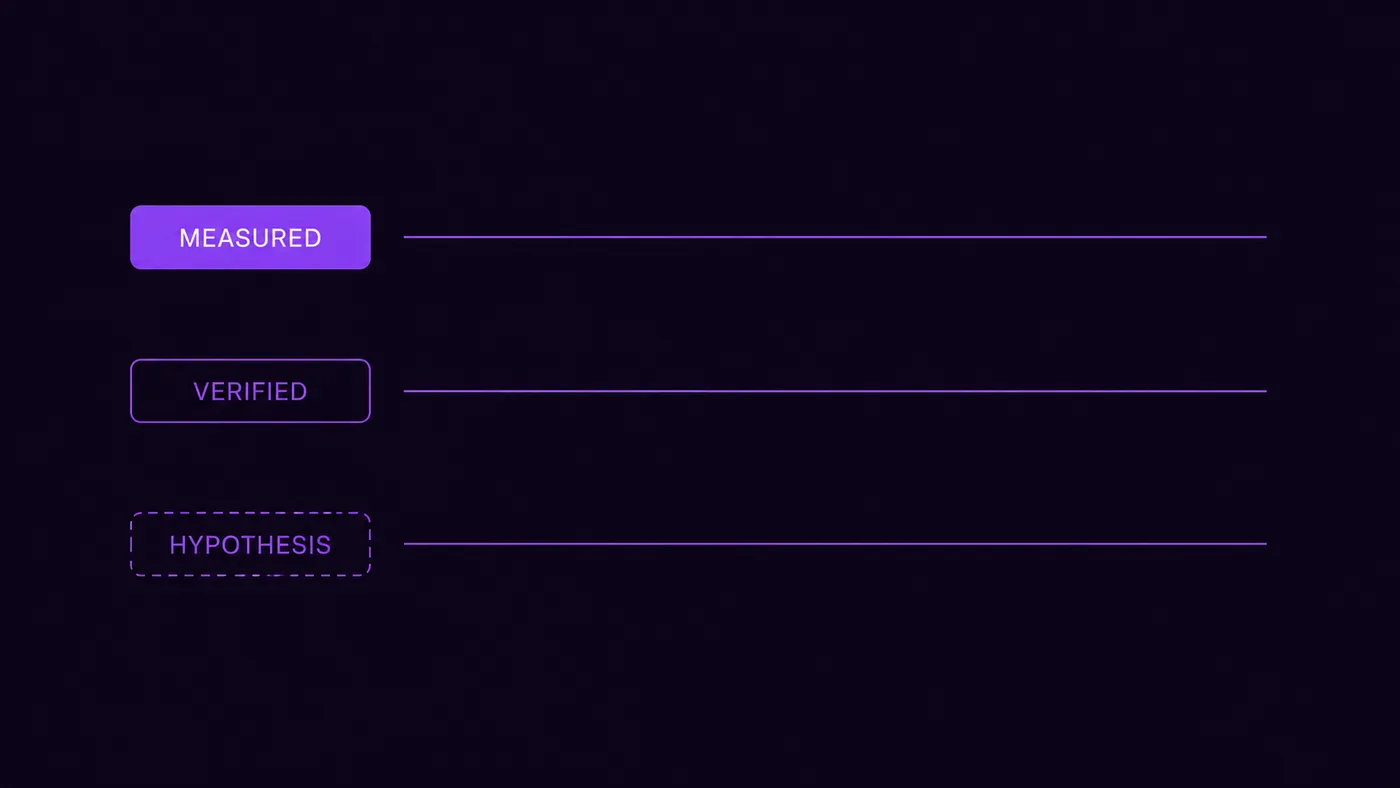
Every claim carries an evidence tier. MEASURED means the number came from GA4. VERIFIED means it was seen on the live page, in a fetch or a screenshot. HYPOTHESIS means it's reasoned or pattern-matched, and unproven. The audit is allowed to contain hypotheses. It is not allowed to dress them up as findings.
Analytics says where, never why. A funnel table can show you that mobile users vanish between product view and add-to-cart. It cannot tell you the add-to-cart button is disabled until a size is picked and the size picker is below the fold. Only the page can tell you that. So the rule is mechanical: no recommendation until the implicated page has been fetched or screenshotted.
No invented money. Every opportunity gets sized as sessions × step-conversion gap × order value, with the arithmetic written out and every assumption labeled. If it can't be computed from measured numbers, the audit says "not sizeable without X" instead of producing a figure. An audit that shows its arithmetic can be checked. An audit that says "you're leaving $30K on the table" can only be believed or not.
The conversion audit prompt
This runs in any AI chat with a live GA4 connection — Claude with a connector, ChatGPT with the ConvRadar plugin, Cursor with an MCP server. Paste it as one message.
You are running a conversion audit on the GA4 property connected to this
chat. Work through the phases in order. Do not skip ahead, and do not
write the audit until the last phase.

Rules that apply the whole way through:
- Never state a cause you haven't verified on the page. Analytics tells
  you WHERE the leak is, never WHY. A recommendation is only allowed
  after you have fetched or screenshotted the page it points at.
- Never invent a revenue number. If you size an opportunity, show the
  arithmetic (sessions × step-CR gap × order value) and label every
  assumption.
- Label every claim: MEASURED (from GA4), VERIFIED (seen on the live
  page), or HYPOTHESIS (reasoned, unverified).
- If a sample is too small to be significant, say so. Never quote the
  number bare.
- Window: last 30 days vs the prior 30, unless the data forces otherwise.

Phase 0 — Orient. Property, currency, timezone, website URL. List the
event names that actually exist on this property. Decide the business
model (ecommerce / lead-gen / SaaS / hybrid) from the event list, not
from the homepage copy.

Phase 1 — Customer. From the homepage and the top landing pages: what is
being sold, at what price, with what commitment? Impulse buy or
considered purchase? A considered purchase makes a single-session funnel
the wrong lens — say so if it applies.

Phase 2 — Benchmarks. Compare each funnel step to its vertical benchmark,
not the blended conversion rate to a blended average. Note which steps
sit below their band.

Phase 3 — Model the real funnel. List the steps a visitor physically
passes through, from the customer's point of view. Map each step to the
event that fires there and the URL it happens on. Do NOT assume
view_item → add_to_cart → begin_checkout → purchase unless those events
exist in Phase 0's list. Flag every step with no event behind it as a
tracking gap — those steps are invisible, not fine. Flag any
cross-domain handoff (external checkout, billing portal, third-party
booking): it breaks attribution and manufactures fake drop-off.
Everything measured after a handoff is suspect.

Phase 4 — Collect. Traffic quality first: estimate the bot and junk
share of sessions. If it is over ~15%, every number below carries that
caveat — say it prominently. Then: overview deltas, traffic sources
sorted by volume AND by conversion rate, landing pages, device split,
the funnel using Phase 3's steps, anomalies by date. Localize the
biggest drops by device, source, and landing page. For the top 2–3
leaks, fetch and screenshot the implicated page on desktop and mobile,
and check its speed. Look at the screenshots before writing anything.

Phase 5 — Synthesize. Rank leaks by lost conversions in absolute volume,
not by percentage drop. For each of the top 3–5: what, where, the
evidence tier of each claim, the mechanism (or "UNVERIFIED — needs X"),
the size with arithmetic shown, the specific fix, and your confidence.
If a leak sits between two steps where no page fetch can see it (login
wall, address modal, cross-domain redirect), write down the question a
human needs to answer instead of guessing.

Deliverable, in this order: a three-sentence verdict; a data-health
warning if tracking gaps or traffic quality compromise the numbers;
the funnel table with leaks marked; findings ranked by lost volume;
open questions. If the honest answer is "the data can't tell us yet,"
say that. A clean diagnosis of a measurement gap beats a confident
guess about a funnel step.
Why the phases sit in that order
Phase 0 exists because of that 71%. The single most useful call in the whole audit is the one that lists which events actually exist on the property. The standard ecommerce funnel is a hypothesis about your tracking, not a fact about it. About half the setups I've audited this year were missing at least one step. Deciding the business model from the event list matters for the same reason: a property with generate_lead and no purchase needs visitor-to-lead benchmarks, and an audit that grades it like a store is wrong from the first table.
Phase 3 is the one nobody's viral prompt has. Before pulling a single funnel number, the model has to write down the steps a visitor physically walks through, then check each one for an event behind it. Steps with no event get flagged as tracking gaps — a separate list from conversion findings, because you can't fix what you can't see, and half the time the "leak" is the measurement. Cross-domain handoffs get flagged too. An external checkout that breaks the session mid-funnel will manufacture a dropoff cliff that looks exactly like a UX disaster and isn't one.
Traffic quality goes first in Phase 4, on purpose. If a fifth of your sessions are bots from one datacenter ASN, every rate in the audit is diluted and every "drop" might be a bot wave arriving or leaving. Checking data integrity after you've formed opinions is how you rationalize; checking first is how you audit. The general GA4 property audit digs deeper on that class of problem. The two pair well: plumbing first, funnel second.
And Phase 5's ranking rule — absolute lost conversions, not percentage drop — is there because percentages flatter small segments. A 60% drop on 40 sessions is noise. A 12% drop on 30,000 sessions is the whole business. Every audit I've seen sorted by percentage puts the noise on top.
What it found on a real store
A run from this spring, anonymized. Mid-priced ecommerce, about 38,400 sessions over 30 days, 343 purchases at a $57 average order — a 0.89% conversion rate that the owner already knew was bad. The viral-prompt audit they'd run before we talked had diagnosed "checkout abandonment" and prescribed trust badges and an exit-intent popup.
Phase 0 killed that diagnosis in one call. The property's event list: page_view, view_item, add_to_cart, purchase. No begin_checkout, no payment events — and the checkout itself lived on the payment provider's domain. Everything between cart and purchase was invisible, and the session broke at the handoff. The 69% of carts that never became purchases (1,106 carts, 343 orders — MEASURED) could be dying at shipping costs, at the redirect itself, at the payment form, or nowhere at all. No page fetch can see it. The audit's output for this wasn't a recommendation. It was a tracking gap, flagged first in the data-health warning, plus one open question for the owner: instrument the checkout steps, or pull the provider's own funnel report.

The real finding was upstream. Product-page views to cart adds ran 3.1% on mobile against 7.4% on desktop — MEASURED, 15,600 mobile item views against 8,400 desktop, a gap the significance check cleared easily. The mobile screenshot showed why, and this part is VERIFIED: on a 390px viewport the add-to-cart button rendered disabled until a variant was selected, the variant picker sat below the fold, and tapping the dead button produced nothing — no error, no scroll, no hint. The mechanism — shoppers tap, nothing happens, they leave — is labeled HYPOTHESIS, because analytics can't watch a shopper shrug. But it's a hypothesis standing on a verified broken interaction, not on vibes.
The sizing, arithmetic shown: lifting mobile item-to-cart from 3.1% to 6.0% — still well under desktop's 7.4% — is 15,600 × 2.9% ≈ 452 extra carts a month. At the store's measured 31% cart-to-purchase rate, that's ≈ 140 orders, ≈ $8,000 a month at the $57 order value. Two labeled assumptions: mobile reaches 6.0%, and the downstream rate holds. Both are stated in the audit so the owner can argue with them. That's the point of showing the arithmetic: an argument you can have is worth more than a number you can't check.
Traffic quality, for the record, came back clean at roughly 4% estimated noise. One line in the audit. If it had come back at 20%, it would have been the first paragraph.
What the prompt can't do
It can't see between steps. A login wall, an address-validation modal, an age gate — anything that appears mid-flow won't show up in a page fetch of either surrounding URL. The prompt's answer is to write the question down for a human instead of guessing, which is honest but is still a question, not a finding.
It can't watch sessions. Screenshots show a disabled button; they don't show forty shoppers tapping it in confusion. If you run session replay, that's the natural next check on any VERIFIED-tier finding. This prompt gets you to the right recording, which is most of the value.
And benchmarks need care. Phase 2 compares each step to its vertical band, and picking the wrong peer set quietly poisons the comparison — how to pick benchmarks without fooling yourself is the longer version.
This protocol is a first-pass and quarterly instrument, not a daily driver — fifteen to twenty minutes with the page captures. For the Monday version, the GA4 prompt library has the short standing prompts that maintain what this one diagnoses. ConvRadar users get the whole protocol as a preset: the connector runs the screenshots, the speed check, and the benchmark comparison as tools inside the same chat, which is exactly the part a bare GA4 connection can't do.
FAQ
Can ChatGPT actually run a CRO audit? With a live GA4 connection, yes — the analytics phases all work, and ChatGPT with a GA4 plugin or Claude with a connector will execute them faithfully. Without a data connection you get ideation, not an audit. Anything it says about your funnel with no access to your funnel is fiction, however useful the fiction sounds.
How is this different from a GA4 audit? A GA4 audit asks "is the data right, and what changed" — property-wide, tracking-first. This prompt asks "where does the funnel leak, why, and what's it worth," and forces page-level verification of the why. If you suspect your tracking, run the GA4 audit first; this protocol's Phase 3 will surface instrumentation gaps, but fixing them is the other playbook.
Do I need ConvRadar to use this prompt? No. The prompt is tool-agnostic — any GA4 MCP connection covers the measurement phases. What a bare connection can't do is Phase 4's page work: screenshots, speed checks, and the benchmark tables have to come from somewhere. ConvRadar bundles those into the same chat; without it, you screenshot by hand and paste.
Why does the prompt forbid the AI from explaining causes? Because it's the single most common failure in AI-written audits. The model sees a drop, and its training data contains ten thousand blog posts explaining drops, so it picks the most statistically likely explanation, which has no connection to your actual page. Requiring a fetch or screenshot before any "because" converts the model from a storyteller into an inspector.
The viral prompt writes five pages in thirty seconds because nothing in it has to be true. This one is slower, and every claim in it comes tagged with how it knows. If you'd rather see the output than build the habit, the quick audit runs this protocol once on your data, free in chat, with the full written report on Pro. Or connect your GA4 and paste the prompt yourself.