Every CRO (conversion rate optimization) program has the same four phases — diagnose, hypothesize, test, verify — and most of them get stuck in the same two places. The diagnose step takes too long because nobody opens analytics. The hypothesize step is shallow because there's no time to do it right. AI doesn't change the phases. It changes how much of each one can happen in one afternoon.
This is what an AI-assisted CRO loop actually looks like in 2026 — where the tools genuinely help, where they don't, and the prompts that keep work moving.
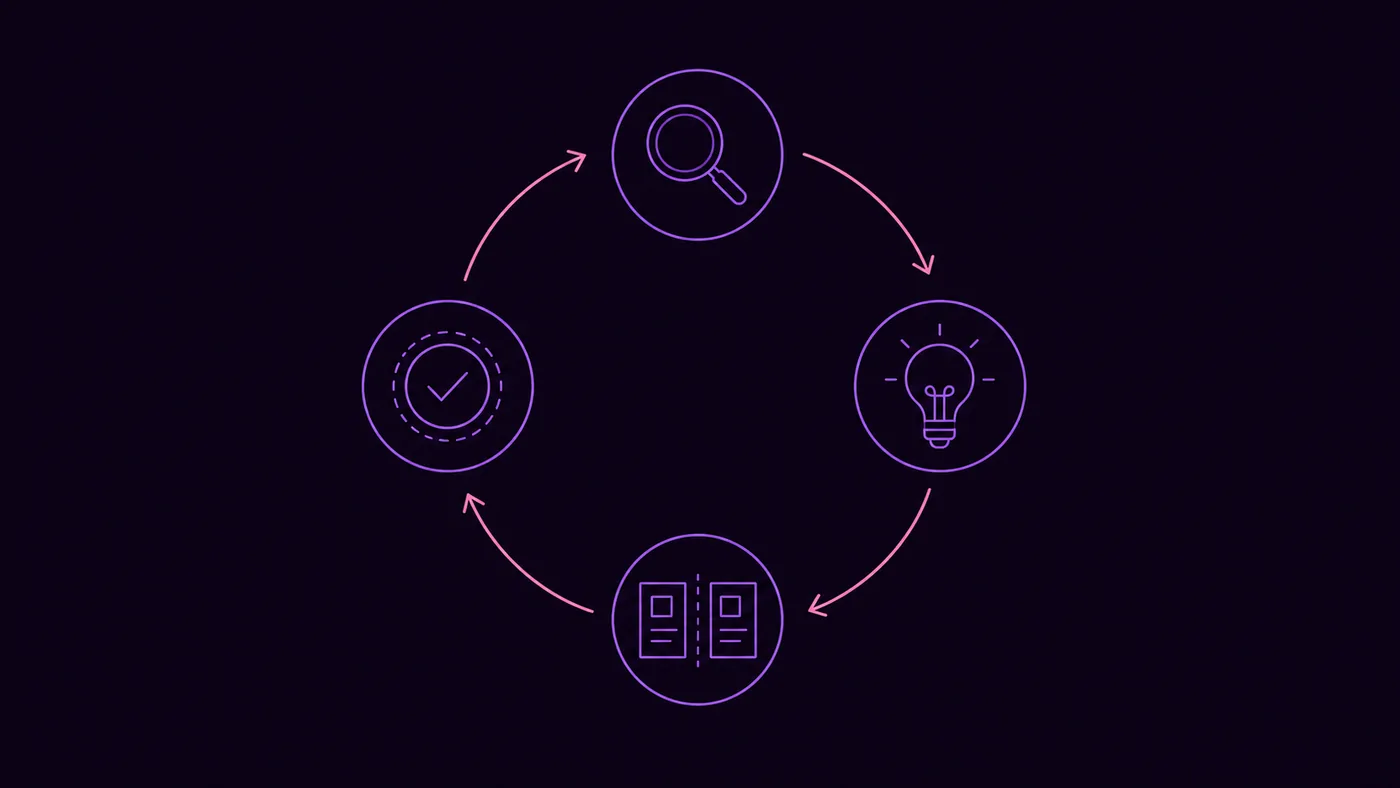
The CRO loop hasn't changed. The tools have.
If you've worked in CRO for any length of time, the loop will be familiar. Find a leak. Form a hypothesis about why it's leaking. Run an experiment to test the fix. Measure whether the fix worked. Feed the answer back into your understanding of users. Repeat.
What changed in 2026 is the cost of each step. The diagnose step that used to mean an analyst opening GA4 for two days now takes ten minutes with a GA4 MCP server connected to Claude or ChatGPT. The hypothesize step that used to be a brainstorm in a Slack thread can start from a structured list of evidence-backed options out of a hypothesis library. The test step is more or less unchanged — you still need real users seeing real variants — but the analysis afterwards is faster and more rigorous. The verify step, the one most teams skip, becomes the one most teams stop skipping because the prompt to run it takes ten seconds.
The result isn't replacing the loop. It's running it more often.
Diagnose: find where the leak actually is
The diagnose step is where AI has the biggest direct impact. The classic failure of CRO programs is starting from "the conversion rate is too low" without ever pinpointing where the loss actually concentrates.
A good diagnose pass with AI looks like this. Open a chat with GA4 connected. Run the prompt: "Compare conversion rate by device, traffic source, landing page, and step in my checkout funnel for the last 30 days versus the previous 30. Where is the loss most concentrated? Give me three specific segments, not a general overview."
The AI returns three pinpointed problems — say, "mobile checkout completion is 38% below desktop", "paid social traffic converts at 0.4% versus site average 1.8%", "the /products/[id] template lost 22% of conversions after May 7th." Now you have three diagnose-stage findings, each tied to a segment and a time. Each one is a candidate for a hypothesis.
The full walkthrough for a single concentrated drop is in our conversion rate drop diagnostic — the principle is the same applied across the whole property at once. The wider set of standing prompts lives in the GA4 prompts library.
What AI doesn't do at this stage: it doesn't watch sessions, see heatmaps, or read your customer support tickets. If those signals live elsewhere, you still need to look at them. A session-replay tool plugged in via its own MCP server can close that gap — but GA4 alone, even with a good AI on top, only tells you where the loss is, not what it looks like to the user. The customer-language half has its own shortcut now: Voice of Customer mines what independent buyers in your category complain about and grades your page against each pain — hypothesis fuel GA4 can't produce.
Hypothesize: turn the leak into a testable change
A diagnose finding without a hypothesis is just an observation. The hypothesize step is where you turn "mobile checkout completion is 38% below desktop" into "we believe that simplifying the address form to a single-column layout will increase mobile checkout completion, because users are likely abandoning when fields don't fit cleanly on a 375px viewport."
AI helps here in two ways. The first is generating a longer list of candidate hypotheses than you'd produce manually. "For the segment 'mobile checkout completion 38% below desktop', list ten testable hypotheses about why this might be happening. For each, give the proposed change, the expected mechanism, and how to test it." The output is rarely 10 great ideas — it's usually three good ones, five mediocre, and two bad. Three good ones is still a better starting point than the one your team would have surfaced from a Slack thread.
The second is matching a diagnose finding against a library of known issues. ConvRadar exposes a hypothesis library indexed by symptom — feed it "mobile checkout dropping after add_to_cart" and it returns the hypotheses that other ecommerce sites have run in the same situation, with confidence levels. This isn't a replacement for thinking. It's a starting set that saves the first 90 minutes.
What AI doesn't do here: pick the right hypothesis. That's still a judgement call based on what you know about your users, your brand, your runway, and your appetite for risk. A hypothesis ranked first by an AI is not the hypothesis you should always run first.
Test: run the experiment without overengineering
The test step is where AI helps the least, by design. Real users still have to see real variants. The statistical test still has to reach significance. The duration still depends on traffic volume.
Three places AI does help. First, picking a sane sample size and duration. "With my current daily traffic on the /checkout page, how long will I need to run an A/B test to detect a 15% lift with 80% power and 95% confidence?" The math hasn't changed since 2010. Having the AI run it in three seconds instead of opening a calculator is the win.
Second, designing variants. Claude or ChatGPT can render an HTML or React prototype of a proposed change in seconds. For mobile-first changes especially, getting a working preview before sending the design to engineering catches half the misunderstandings that would otherwise eat a week.
Third, running an analysis once the test ends. Most teams cap their A/B test analysis at "did B beat A?" A good AI-assisted analysis goes further: "For the test I ran on /checkout from May 1 to May 22, compare Variant A and Variant B on conversion rate, average order value, time-on-page, and segment-level performance. Did B beat A overall? Did B win on any specific segments that A lost on, and vice versa?" This is the analysis that catches "B won but only on desktop, and lost on mobile" — the kind of nuance that prevents a misleading ship.
For Bayesian or multi-armed bandit testing, the AI doesn't run the experiment, but it can interpret the dashboard your testing platform produces. If you're on Optimizely, Convert, AB Tasty, or VWO, the testing engine is still doing the actual work.
Verify: did the change actually win?
The verify step is the one most teams skip. The change ships, the test wraps, and nobody looks again. Three months later there's a conversation about whether the redesign helped, and no one has the data.
This is where the change journal pattern earns its keep. The discipline is simple: every meaningful change to the site, copy, or campaign gets logged with a date. Then once a month, the AI runs a verify prompt: "For each change I logged in the last 90 days, compare the relevant metric for the four weeks before and four weeks after the change date. Highlight any changes that look like clear wins, clear losses, or no impact."
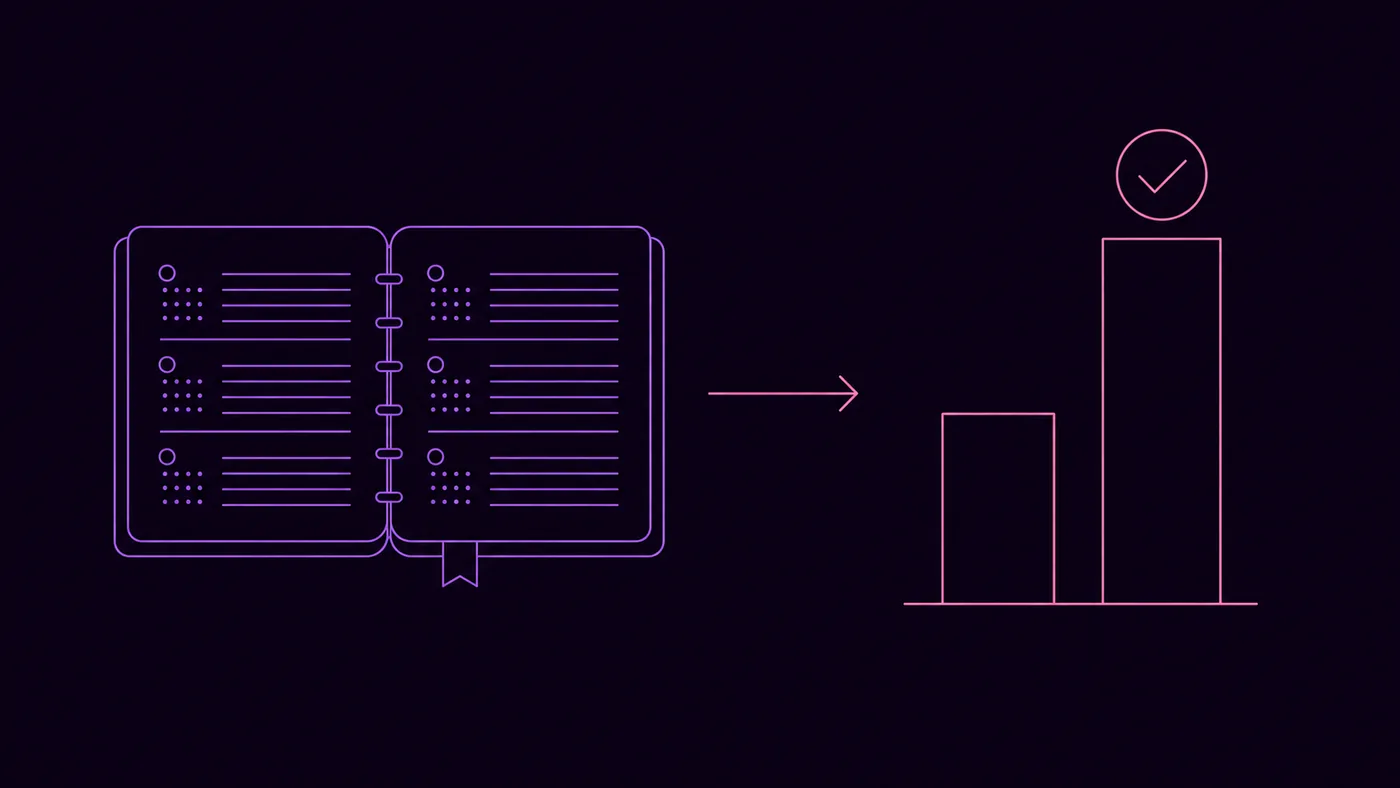
ConvRadar bakes a change journal directly into the workflow, but you can do the same with a Google sheet and a slightly longer prompt. The point isn't the tool. It's the habit. Once verify is a recurring prompt instead of a recurring meeting, it actually happens.
A side effect of running verify regularly: your hypothesis library gets calibrated. You start to see which kinds of changes win for your site and which don't. The next time you hypothesize, you start from your own evidence, not from a generic CRO blog post.
The loop, weekly
The 2026 version of an AI-assisted CRO program is less heroic and more procedural than the old version. Once a week, you spend roughly an hour:
- Twenty minutes running a structured diagnose pass on the last seven days.
- Twenty minutes generating and prioritizing hypotheses for the top one or two findings.
- Ten minutes setting up the next test, including AI-generated variants and a sample-size calculation.
- Ten minutes running the verify pass on tests that finished and changes that shipped.
That's it. The same hour you used to spend cleaning up someone's exploratory exploration in GA4 now drives the full loop. The shape of CRO work hasn't fundamentally changed. Its tempo has.
FAQ
What is AI CRO? AI CRO is conversion rate optimization where AI assistants (Claude, ChatGPT, or specialist tools) handle the analytical and synthesis work in each phase of the loop — diagnose, hypothesize, test, verify. The tests still run on real traffic and the decisions still belong to humans. AI's role is making each phase faster and more rigorous, not removing the phases.
Can AI replace a CRO specialist? No. A good CRO specialist brings pattern recognition across hundreds of tests, judgement about which hypotheses are worth running, knowledge of your specific users, and the political skill to ship changes through engineering and design. AI accelerates the analytical work and broadens the hypothesis pool. The decisions still need someone who has seen many tests on many sites.
What are the best AI tools for CRO? Claude or ChatGPT connected to a GA4 MCP server for the diagnose and verify steps. A hypothesis library (ConvRadar's, or your own) for the hypothesize step. A traditional testing platform (Optimizely, Convert, VWO, AB Tasty) for the test step. There's no single tool that does all four phases well — each phase has different requirements.
How does AI help with hypothesis generation? Two ways. It produces a wider candidate list than manual brainstorming, and it can match a specific diagnose finding against patterns from other sites. The output isn't always great, but the ratio of useful-to-useless hypotheses is high enough that the time saved is real.
Is AI good at picking A/B test winners? AI doesn't pick the winner — the statistical test does. AI's value at the test stage is in setting up the right sample size, designing variants quickly, and running deeper post-test segment analysis. It reads testing-platform dashboards more reliably than most humans skim them, surfacing nuances like "B won overall but lost on iOS."
What's a realistic CRO improvement with AI in 6 months? For most sites, the realistic gain isn't from any single test winning bigger. It's from running four times more tests in the same calendar period because the diagnose and analysis steps are faster. If your current cadence is one test a month and you move to one a week without dropping rigor, the cumulative improvement over six months is usually larger than any single dramatic win.
The fastest way to feel this is to wire up your GA4 to an AI and run last week's diagnose pass in real time. Start a free trial and try "Show me the three biggest CRO opportunities in my GA4 data right now." That's the loop, in one prompt.